
The Search Transcriptions feature allows you to quickly find specific keywords, phrases, or topics within your call recordings so you can uncover insights, review conversations, and take action faster.
This feature provides a searchable view of your call transcriptions, along with filtering options to help you locate relevant calls and better understand customer interactions.
How to Access Transcription Search
- Log in to your 800.com dashboard
-
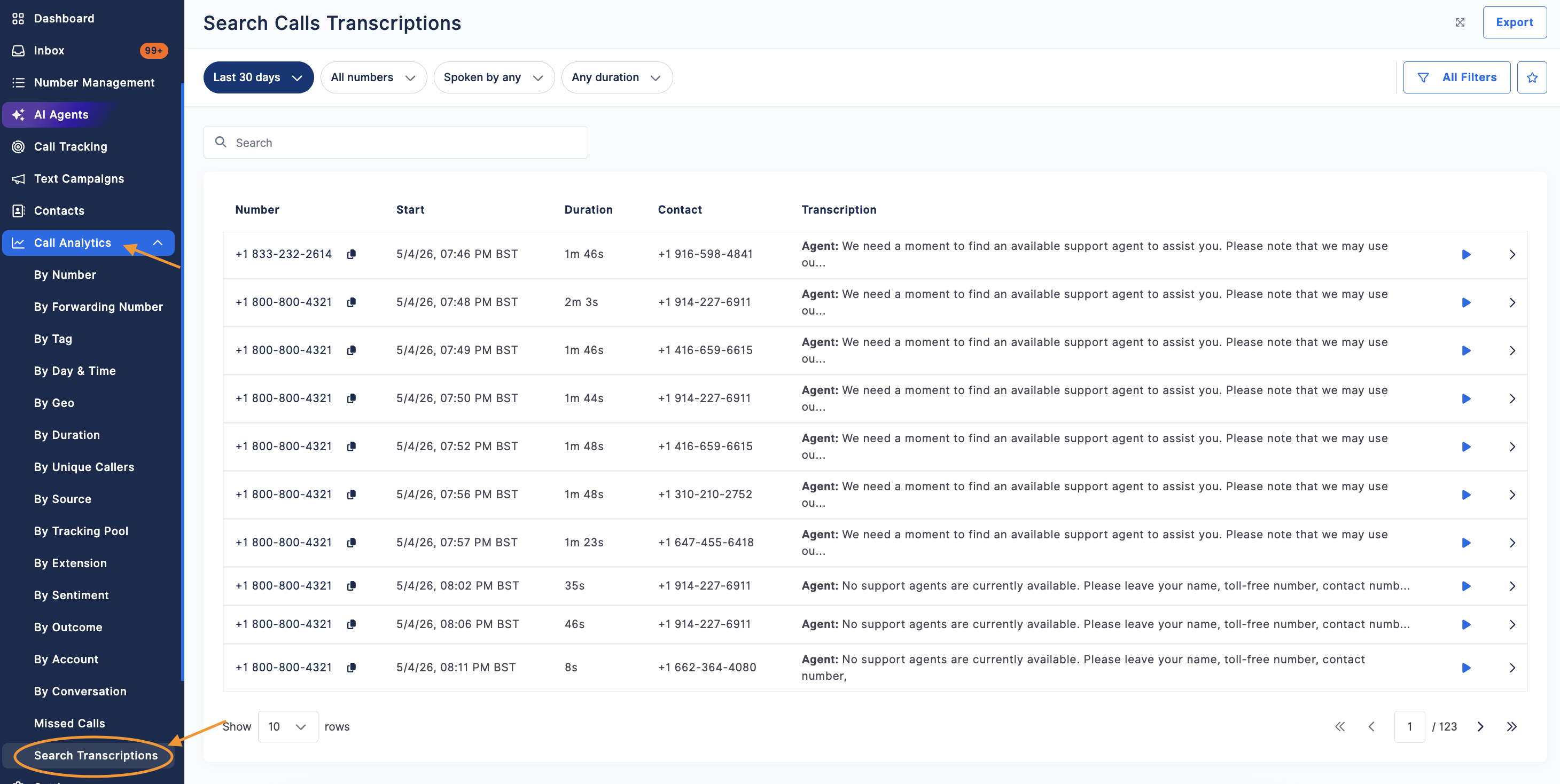
Navigate to Call Analytics > Search Transcriptions
How to Use Search Transcriptions
- Enter a keyword or phrase into the search bar
- Press Enter to run the search
- Review the results to find matching calls
The system will return calls where the keyword appears within the transcription.
How to Refine Your Search
Use filters to narrow your results and find exactly what you’re looking for:
- Date range (e.g., Last 30 days)
- Call direction (Inbound/Outbound)
- Phone number or forwarding number
- Tags or outcomes
- Call duration or answer status
Click All Filters to apply additional filtering options.
Viewing Search Results
Once your search is complete, you can:
- Open a call to view the full transcription
- Jump to the section where the keyword appears
- Review call summaries and insights (if enabled)
- Listen to the call recording for full context
Why Use Transcription Search
Searching transcriptions helps you:
- Quickly find important conversations
- Identify common customer questions or concerns
- Monitor sales or support performance
- Review specific keywords like products, services, or competitor mentions
How to Export Unique Caller Data
- Click Export in the top-right corner
-
Your report will be generated and sent to your email once ready


Tips for Better Results
- Use specific keywords or phrases for more accurate results
- Try variations of a term if results are limited
- Combine search with filters to narrow down large datasets
- Use it alongside AI insights to uncover trends faster
Need Help?
If you have questions during this process, you can reach out to our support team via email: support@800.com.