
The fastest way to get support is by sending us a authenticated ticket from within the 800.com app.
Contacting Support from the 800.com App
- Log in to your 800.com account.
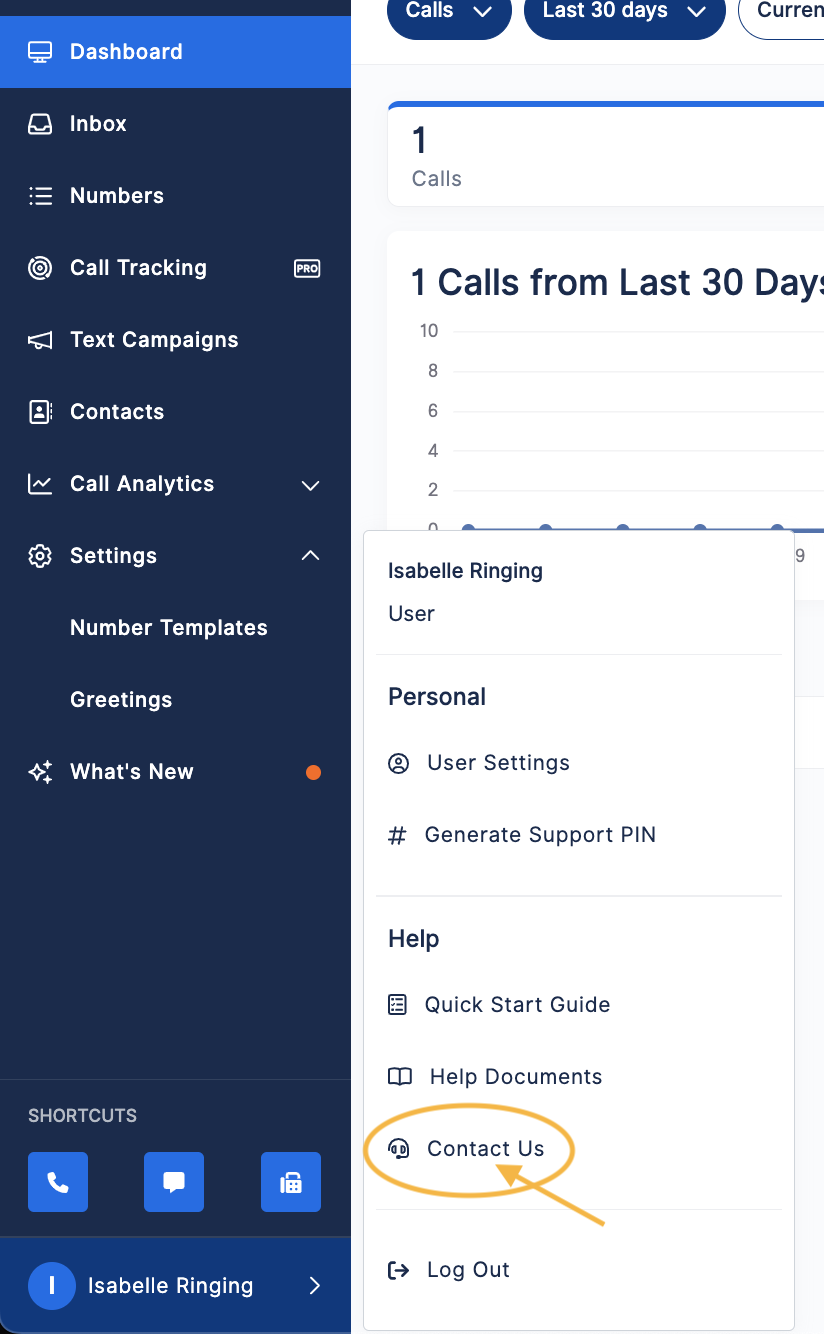
- Go to the bottom of the left navigation > click Your Name > select Contact Support.
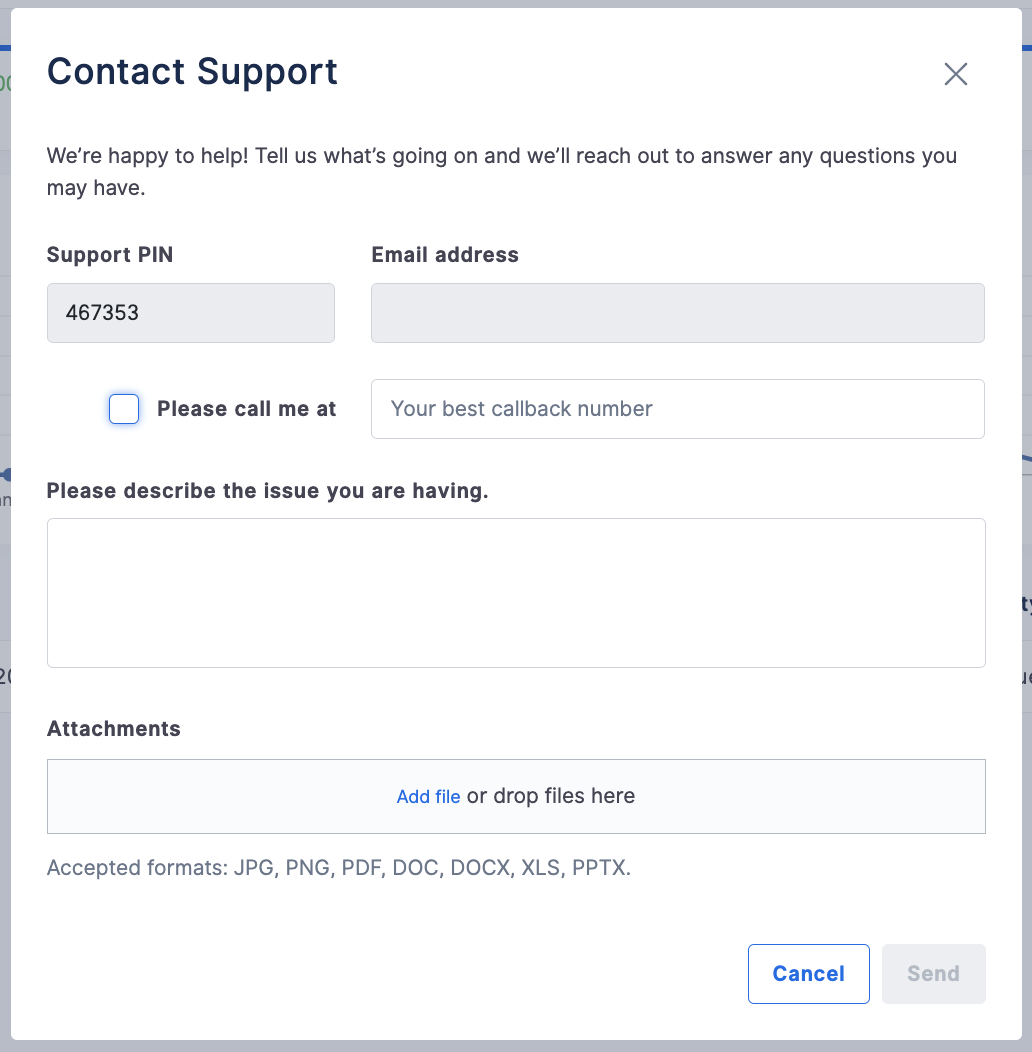
- Fill out the Contact Support Form > hit Send
Contacting Support via email
Please note: the fastest way to get support is using the authenticated ticket system inside the application.
If you are having trouble logging in, please follow this article: How to Log In to Your 800.com Account
If you have questions during this process, you can reach out to our support team via email: support@800.com.