
If you are connecting your Google Business Profile to your Google Ads account, you must add your Google Ads Extension phone number in Google Business Profile. Google will automatically use your Google Business Profile main number which can impact reporting.
Best practice is to create a Google Business Profile call tracking number, as well as a Google Ads Extension call tracking number so you can report Organic vs Paid separately.
How to manually create and use a Google Ads tracking number as a Google Business Profile location extension
- Go to business.google.com/, sign in and select your Google Business Profile.
-
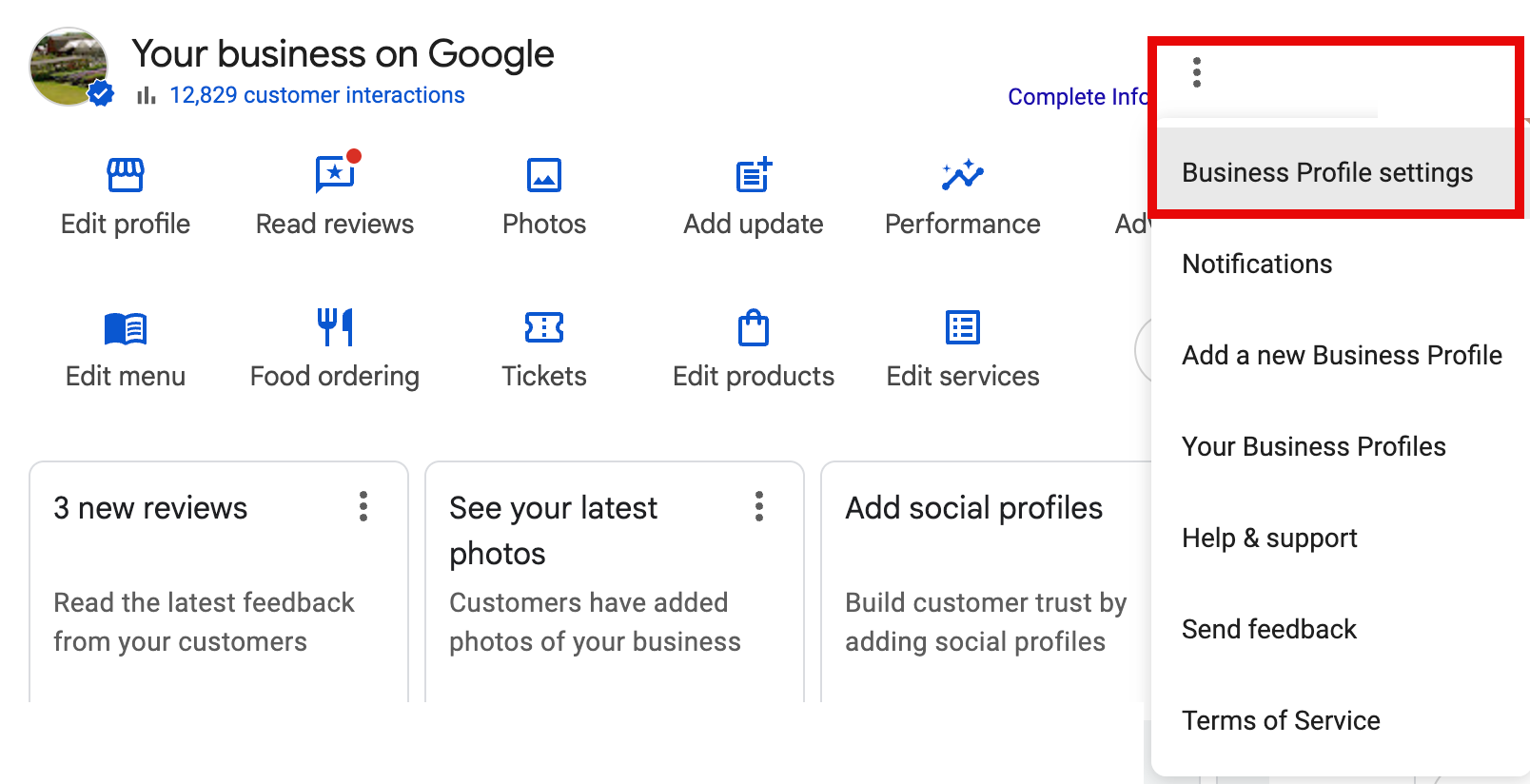
In the Menu (3 vertical dots), choose Business Profile settings.
-
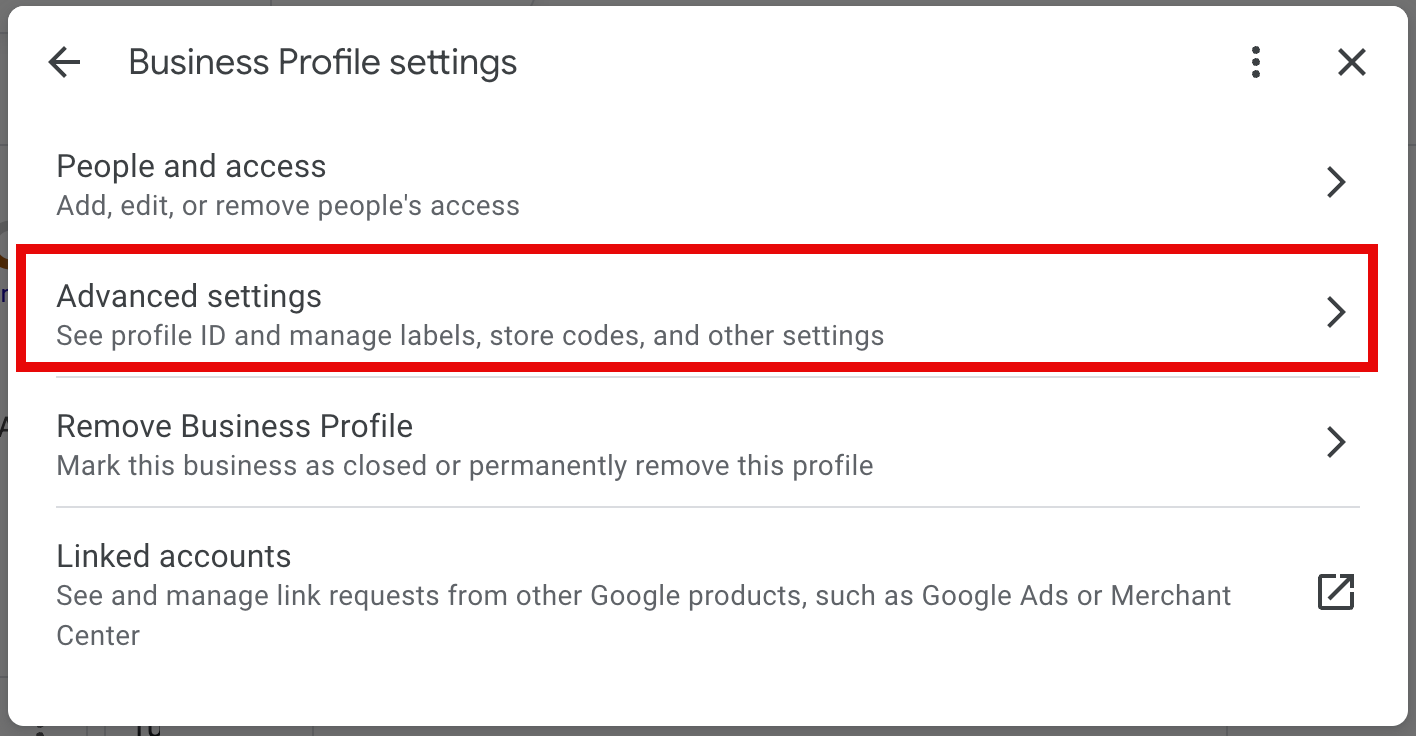
Click Advanced Settings.
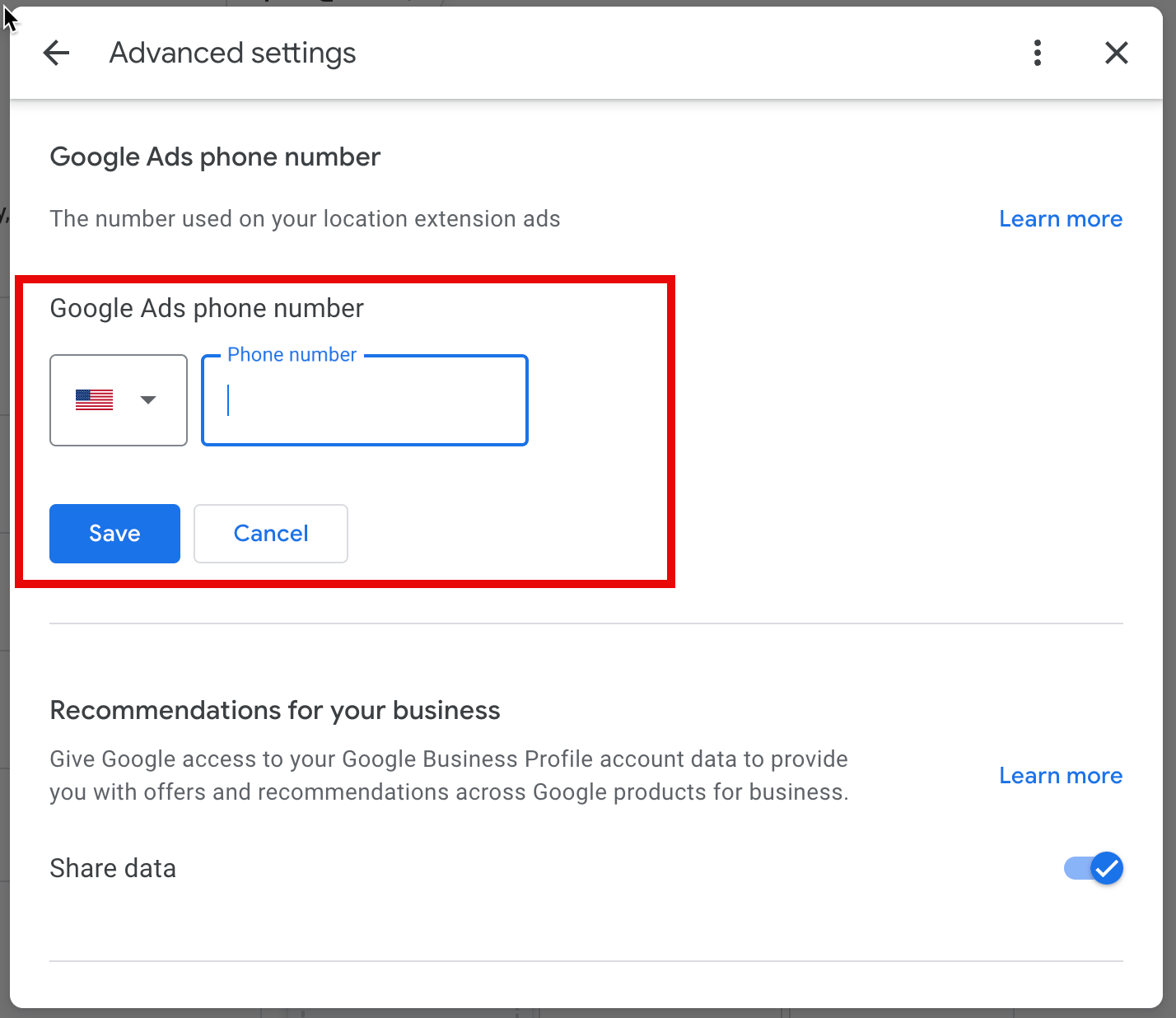
- Scroll to Google Ads phone number and enter your Google Ads extension phone number from 800.comm, then click Save.
How to create a location extension in Google Ads
After you create your tracking number and update Google Business Profile, you must add the Location Extension in Google Ads.
- Sign in to Google Ads and select the account.
- Select Campaigns, under Assets, choose Assets.
-
Under Associations, choose Locations.

- Select the + icon, and then choose Location asset.
- Search for a Google Business Profile account or link to an account associated with your Google Ads account.
- Follow the wizard to finalize your location extension.