
Log In To Your 800.com Account
Log in to your account. Ensure you have administrative access, as only admins can changes to your account.
- If you’re not already using 800.com, sign up for an account and then log in.
Where to find your Plan Usage
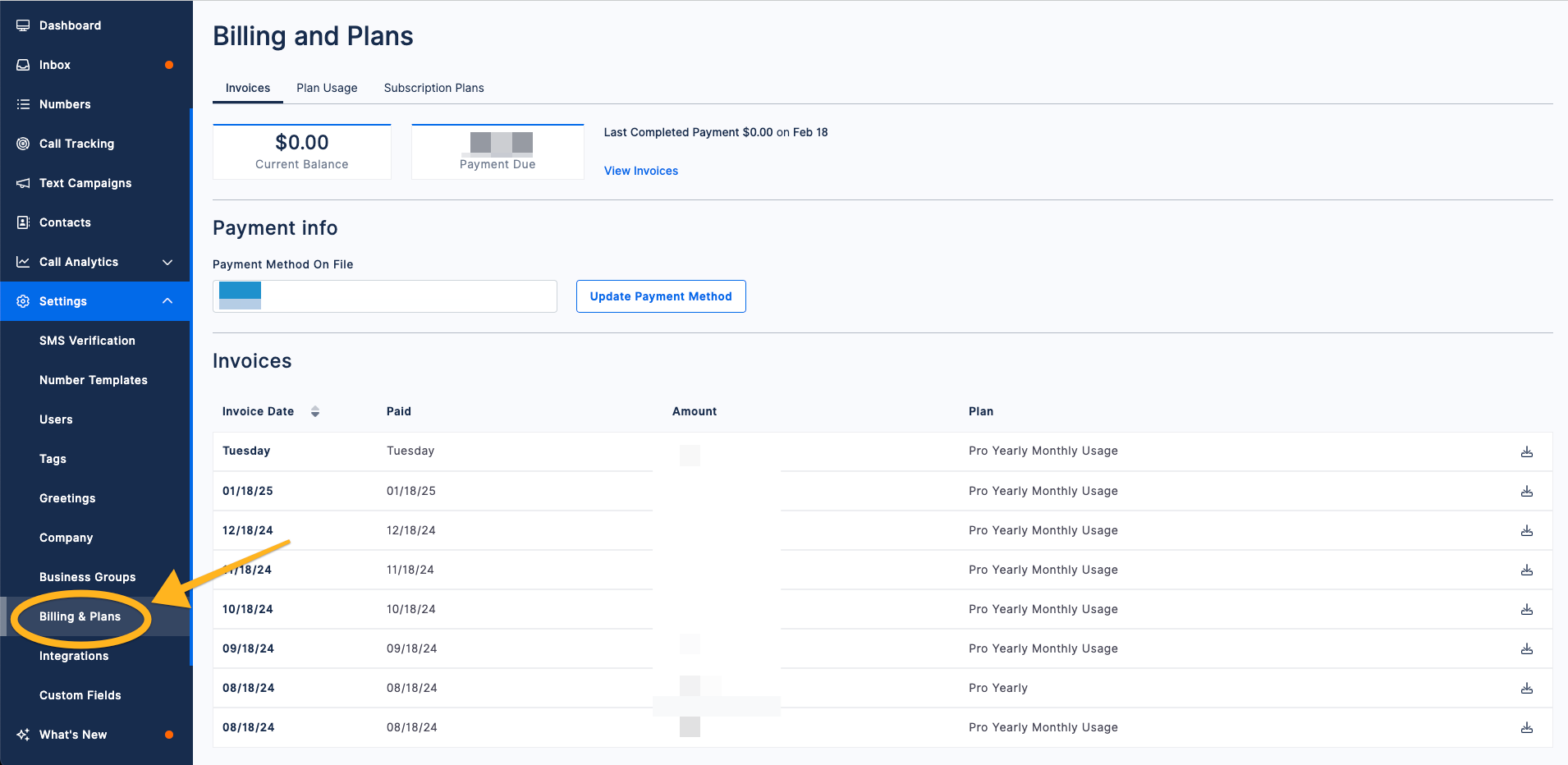
- Navigate to Settings > Billing & Plans
- Click on Subscription Plans
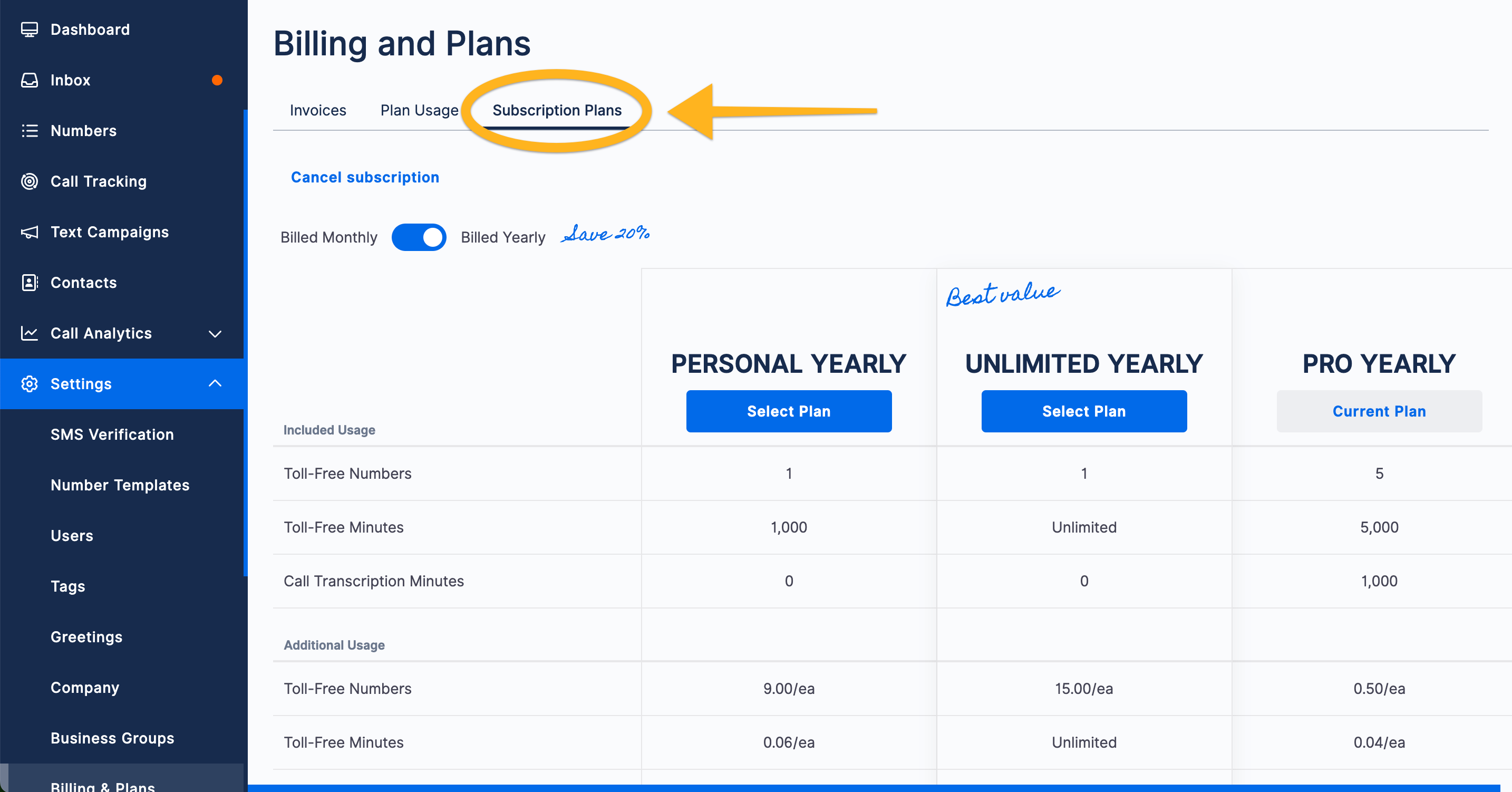
You can now upgrade your account recurring cycle or your plan. If you're looking for additional help with your plan or billing cycle, feel free to contact support.