
Log In To Your 800.com Account
Log in to your account. Ensure you have administrative access, as only admins can changes to your account.
- If you’re not already using 800.com, sign up for an account and then log in.
Where to find your plan usage
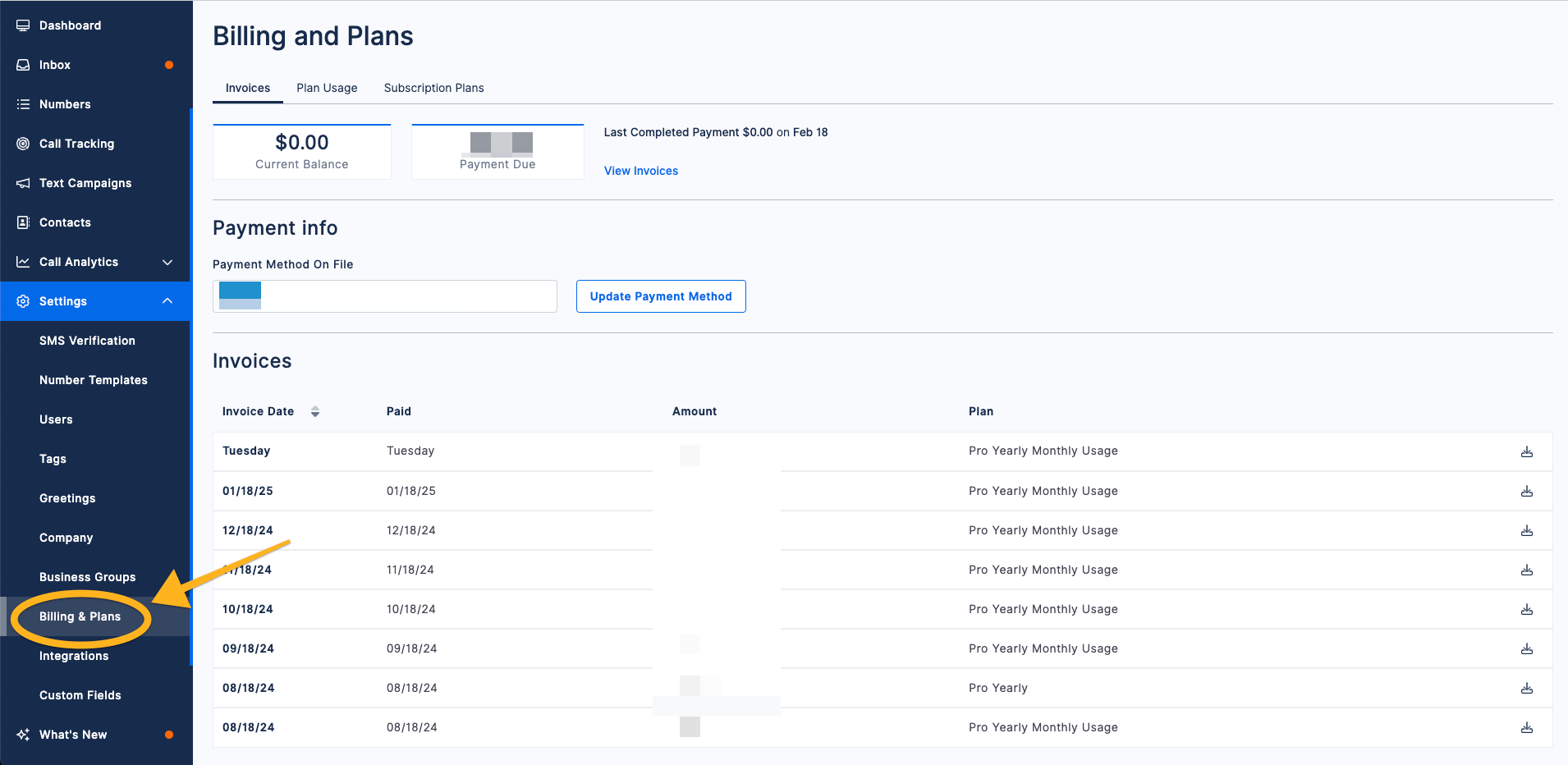
- Navigate to Settings > Billing & Plans
- Click on Plan Usage
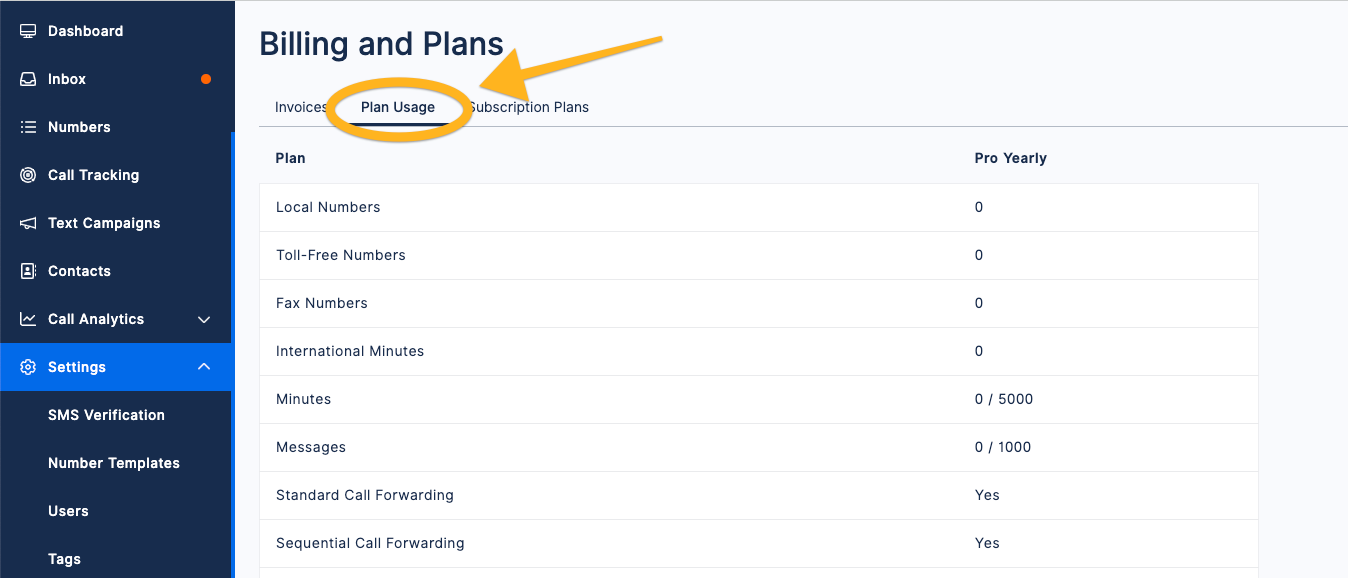
You can now check all your plan's usage data for the current period. If you have any questions about usage, feel free to contact support.