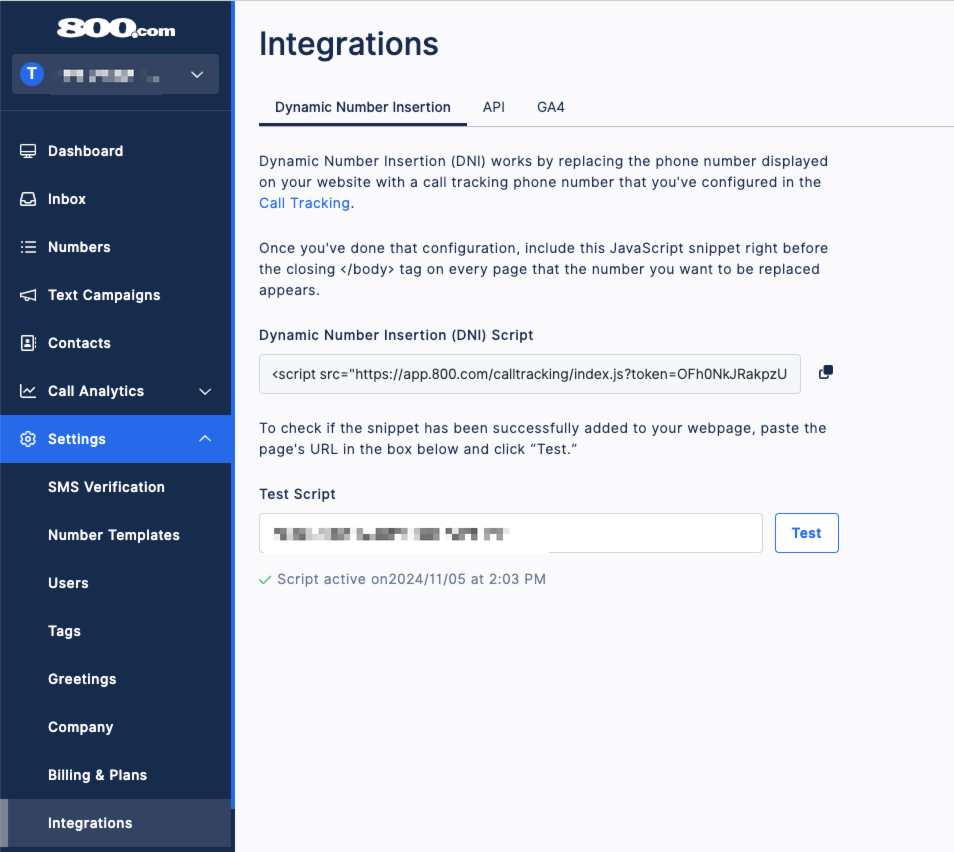
Find your Dynamic Number Insertion (DNI) Script in 800.com
Log in to your 800.com Account > Settings > Integrations > Copy your Dynamic Number Insertion (DNI) Script
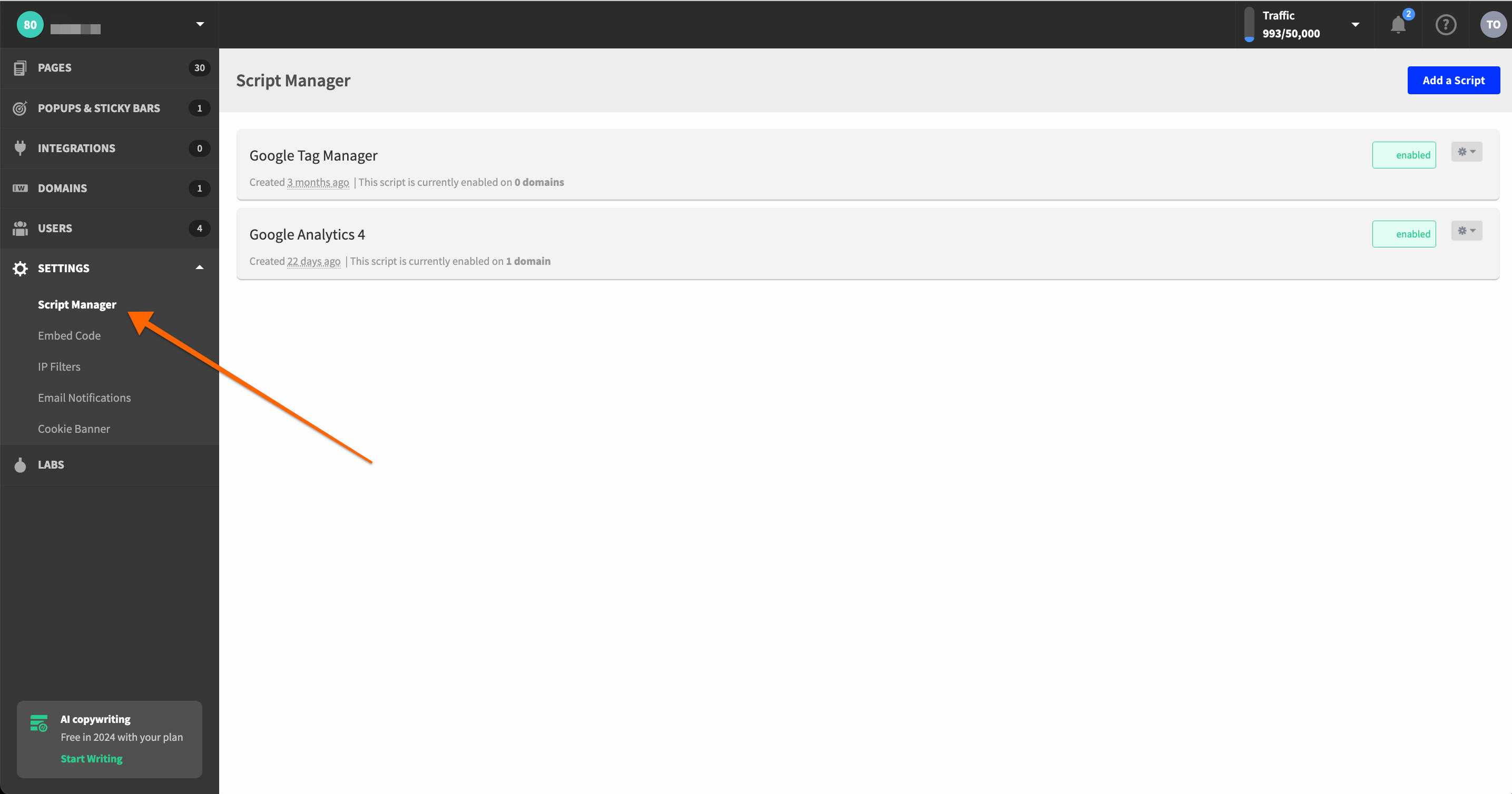
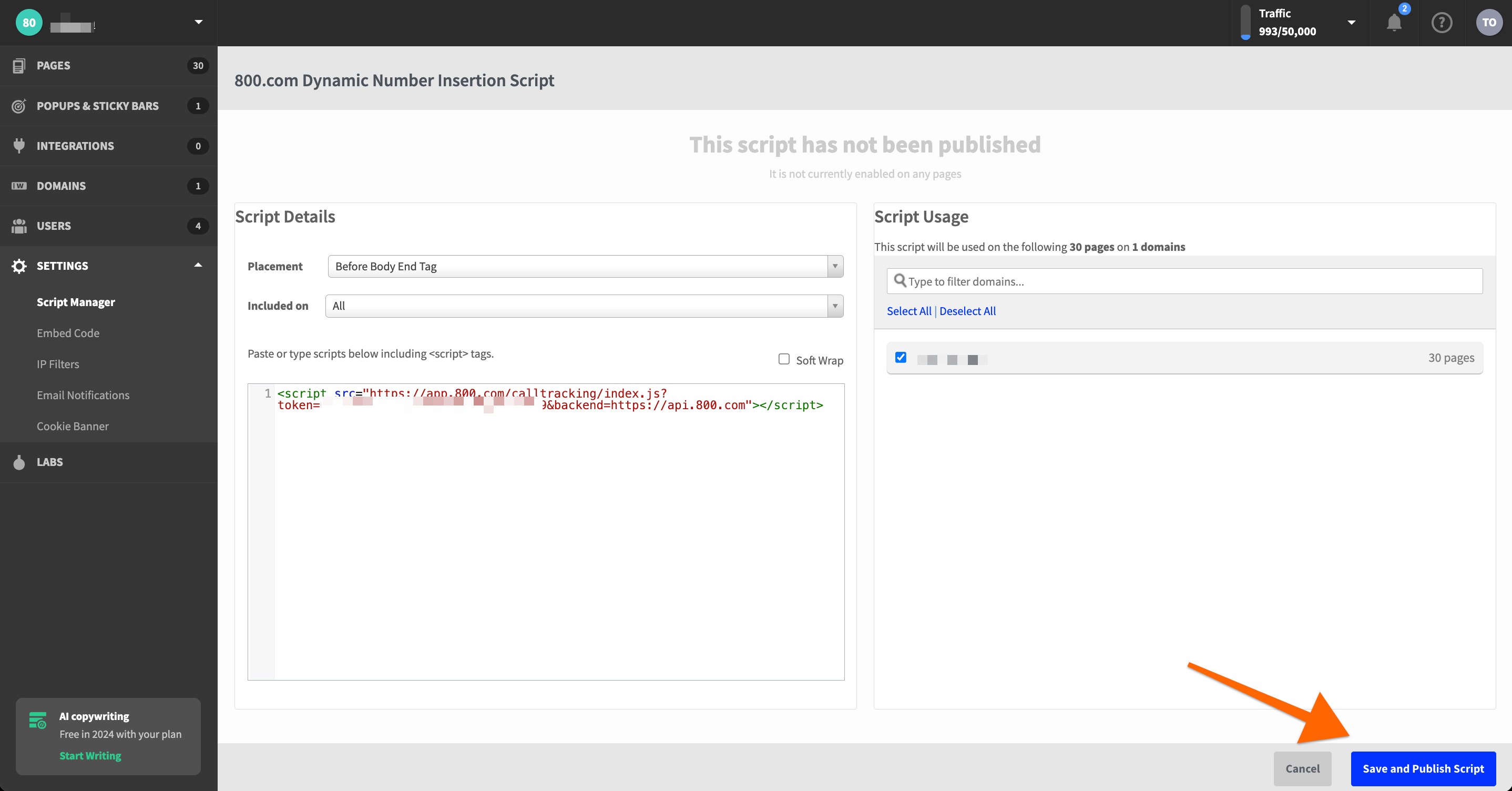
Add Your DNI Script to Unbounce
- Log in to your Unbounce Account
- Go to Settings > Script Manager
- Click Add a Script
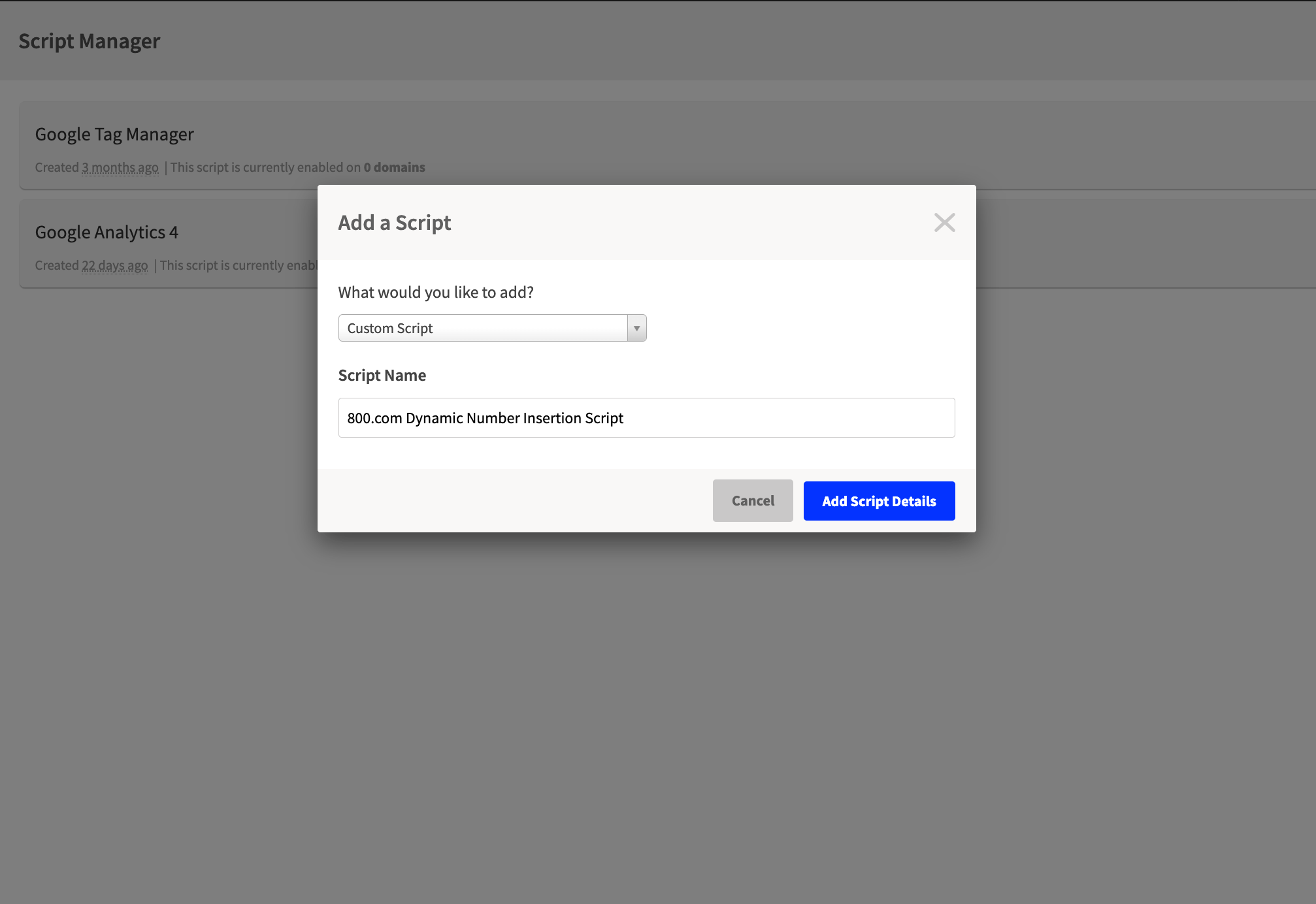
- From the dropdown select Custom Script and enter a Script Name
- Click Add Script Details
- Select Head and Placement
- Choose which pages you'd like to include the script on (We recommend All)
- Select the Domain/Pages in Script Usage
- Click Save and Publish Script
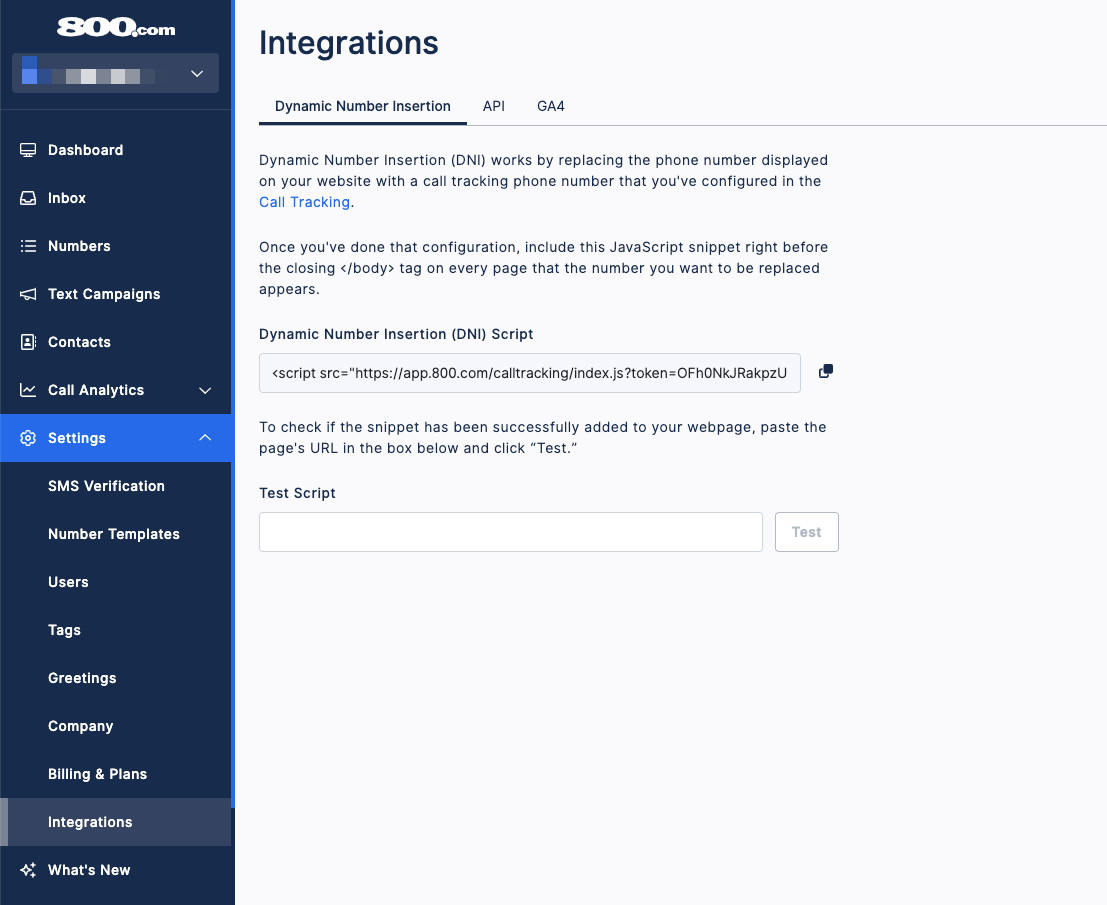
Test your DNI is working
- Log in to your 800.com Account
- Click Settings, then click Integrations
- Copy the url where the DNI is placed
- Paste into the field for Test Script
- Click Test